
biz-file-upload 业务文件上传
biz-file-upload 介绍
主要作为流程表单附件上传的组件。
使用该组件上传后,该文件信息将会保存到sys_file_info表中。
页面初始化时会根据传入的prop(businessId, businessType)作为检索条件,通过接口获取文件列表。
PS:上传时并不会将businessId作为参数上传,该属性只用来显示。
biz-file-upload Attributes
| 参数 | 说明 | 类型 | 可选值 | 默认值 |
|---|---|---|---|---|
| value/v-model | 存放文件的一个列表 | Array | — | — |
| accept | 文件类型限制 | String | — | — |
| businessType | 业务类型(主要用于区分不同的业务流程或业务功能) | String | — | — |
| businessId | 业务ID | [String, Number] | — | — |
| multiple | 是否多选 | Boolean | — | — |
| disabled | 是否禁用 | Boolean | — | — |
| onSuccess | 上传成功的回调 | Function | — | — |
| onError | 上传失败的回调 | Function | — | — |
| onRemove | 移除当前文件时的回调 | Function | — | — |
biz-file-upload Events
| 事件名 | 说明 | 参数 |
|---|---|---|
| input | 手动上传文件时触发的事件 | val(文件) |
biz-file-upload 使用
<template>
  <div>
    <biz-file-upload
      v-model="demoData"
      businessType="demoType"
      on-remove="XXX"
    >
    </biz-file-upload>
  </div>
</template>

<script>
import BizFileUpload from '@/components/BizFileUpload/BizFileUpload'
export default {
  components: { BizFileUpload },
  data() {
    return {
      demoData: []
    }
  },

  methods: {
    XXX() {}
  }
}
</script>
初始页面效果(会有一个上传的按钮)

点击上传时的页面效果
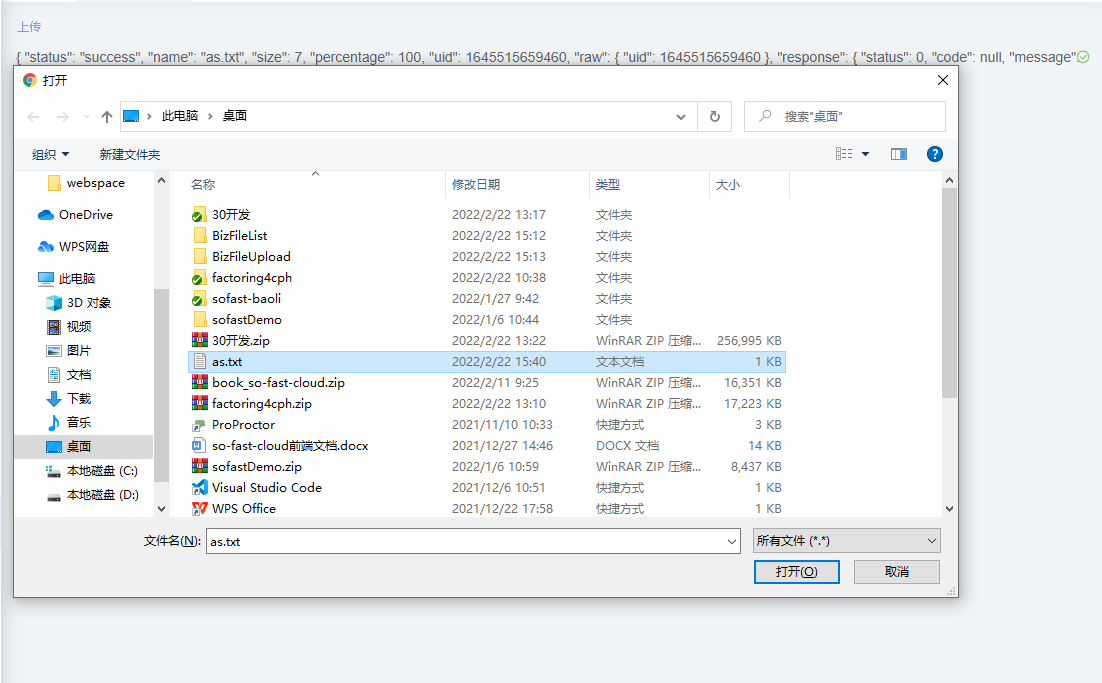
上传成功后的页面效果
